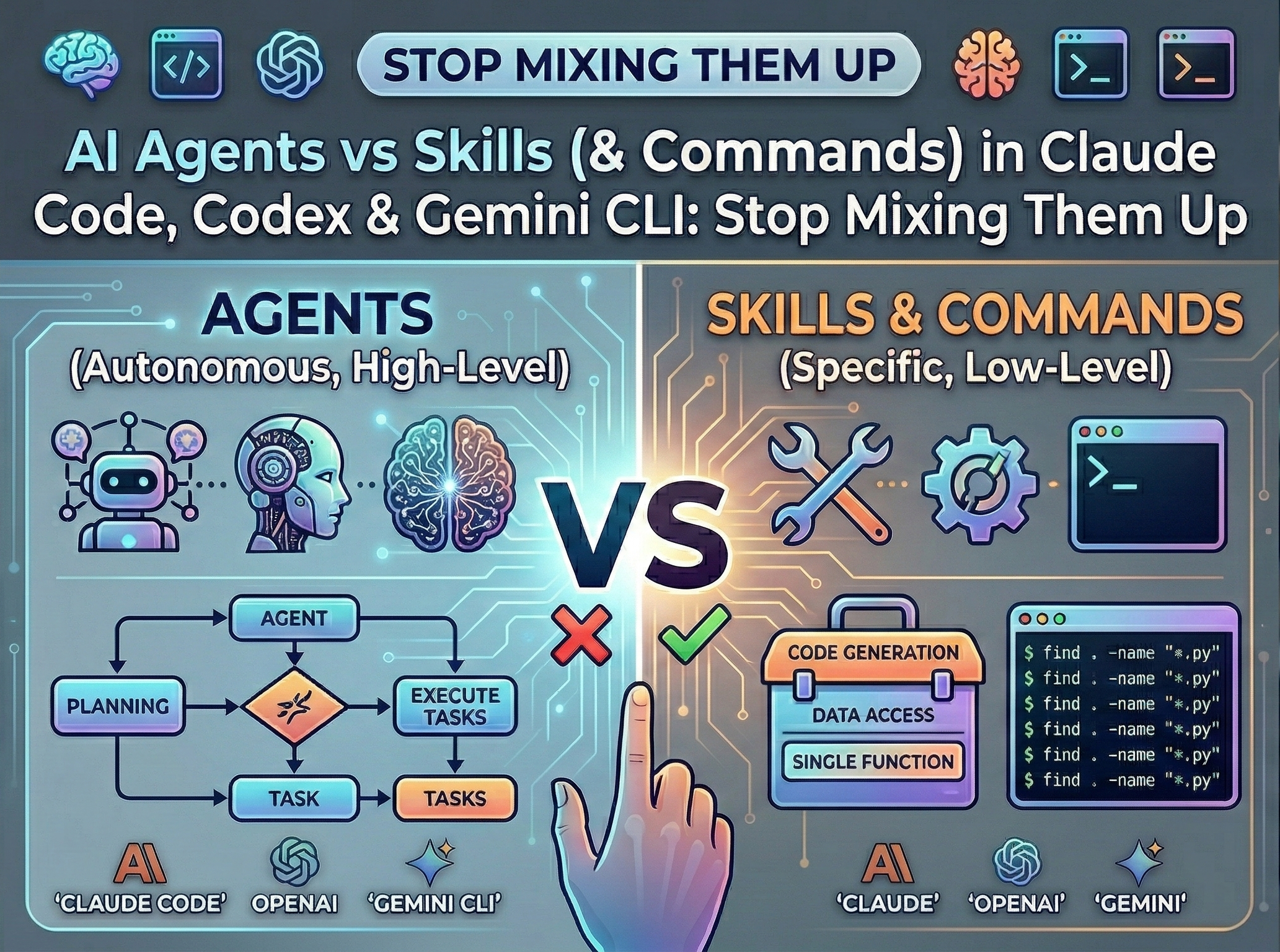
We’ve All Been There
You start adding AI to your workflow. A prompt here, a script there, a bit of YAML… and three weeks later nobody on the team wants to touch those files.
Not because the idea was bad. Because everything ended up in the same place.
Vendors don’t help either. Claude Code, Gemini CLI, Codex, Copilot CLI, they all use «agent», «subagent», and «skill» like they mean the same thing. They don’t. And if you don’t draw that line yourself, your repo will pay for it.
This post breaks down the three core building blocks (Agents, Skills, and Commands) explains when to use each, and shows how Claude Code, Codex, Copilot CLI, and Gemini CLI implement them. By the end you’ll have a clear mental model, reusable templates, and a real-world example from an Angular project.
The Three Building Blocks
Before diving into any tool, let’s get the concepts straight. There are exactly three things (between others) you need to think about, and each one has a clear job:
Agent = Brain
The behavior layer. How the AI talks, what it prioritizes, when it pushes back. Its personality, basically. An agent reasons, adapts, and makes judgment calls.
Skill = Hands
The execution layer. A specific task, triggered by the agent (or by context), that runs the same way every time. Deterministic, repeatable, testable.
Command = Keyboard Shortcut
A skill that you trigger explicitly – not the AI. Type /deploy-staging and it runs. No AI judgment involved. Think of it as the difference between a consultant who jumps in when relevant and a shortcut you hit on purpose.
Here’s how they compare:
| Agent (Brain) | Skill (Hands) | Command (Shortcut) | |
|---|---|---|---|
| Does what | Defines behavior and tone | Executes a task | Executes a task on demand |
| Nature | Flexible, reasons | Fixed, deterministic | Fixed, deterministic |
| Made of | System prompts, rules | Scripts, CLI commands | Scripts, CLI commands |
| Who triggers it | The system / orchestrator | The AI, based on context | You, explicitly |
| Use it for | Code reviews, analysis, triage | i18n workflows, linting | Deployments, staging pushes |
| Change it when | Team norms shift | The process changes | The process changes |
The key insight: if you mix them, you can’t change one without breaking the other. Want to swap the LLM? You risk breaking your automation. Want to update a workflow? You’re digging through prompt logic. No thanks.
Quick Decision Check
Not sure which one to build? Four possible questions:
- Am I changing how the AI behaves or communicates? → Agent
- Am I automating a repeatable task the AI should pick up on its own? → Skill
- Do I want a predictable, no-surprises trigger I control? → Command
- Does this need versioning and shared use across the team? → Skill (or Command)
Or just ask: could a junior on the team trigger this without knowing anything about LLMs? If yes – it’s a Skill or a Command. If the answer to «should it run automatically?» is also yes – it’s a Skill. If you want manual control, Command.
The practical rule: if you’ve typed the same prompt more than twice and you always want the same behavior – make it a Command. If you want the AI to figure out when it’s needed – make it a Skill.
How Each Tool Implements Them
Now that the concepts are clear, let’s see how Claude Code, Codex, Copilot CLI and Gemini CLI put them into practice. The good news: all of them share the same Skills standard – same SKILL.md format, same open standard published by Anthropic in December 2025 and adopted by OpenAI. The differences are in how each one handles the behavioral layer.
Context Files: The Foundation
Every tool reads a context file at the start of each session – team conventions, test commands, things to avoid. Different name, same idea:
| Tool | Context file |
|---|---|
| Claude Code | CLAUDE.md |
| Codex | AGENTS.md |
| Copilot CLI | AGENTS.md |
| Gemini CLI | GEMINI.md |
Drop one at your repo root and the tool picks it up automatically. You can also add them in subdirectories for service-specific rules – all four tools merge them from root down.
Example (GEMINI.md / AGENTS.md / CLAUDE.md – same content works in all):
## Project contextAngular 19 monorepo. Uses Transloco for i18n.## Conventions- Run `npm run lint` before committing Angular changes.- Never commit directly to main....
Skills: Write Once, Use Everywhere
Skills live in tool-specific folders but follow the same format:
.claude/skills/<name>/SKILL.md.codex/skills/<name>/SKILL.md.github/skills/<name>/SKILL.md (Copilot CLI).gemini/skills/<name>/SKILL.md
Commands: How Each Tool Handles Them
This is where things diverge a bit.
Claude Code merged commands (custom commands) into Skills in v2.1.3. They live in .claude/skills/ with the same SKILL.md format. The only difference is the command is just a file in .claude/commands/i18n-manager.md.
Instead of relying on commands, the recommendation is to use skills due to their enhanced capabilities and extensibility, offering greater scalability. Additionally, incorporating other skills can be beneficial, as it promotes standardization across the project or team. So, the skill will be: .claude/skills/i18n-manager/SKILL.md.
Codex has custom prompts (~/.codex/prompts/*.md) invoked as /prompts:name. They’re explicitly deprecated in favor of Skills, but still functional. The direction is clear: move everything to Skills and use explicit invocation when you need it.
Gemini CLI doesn’t have a standalone command system. If you need an explicit trigger, wrap it as a Skill and call it by name in your prompt.
Copilot CLI uses custom agents as its command mechanism. You invoke them with /agent <name> interactively, or pass copilot --agent <name> from the command line. Agent files use the .agent.md extension and live in .github/agents/ (repository-level) or ~/.copilot/agents/ (user-level). Copilot can also auto-select the right agent based on trigger words in your prompt.
Agents/Subagents: Where the Real Differences Live
This is the part where each tool takes its own path.
Claude Code keeps it simple: agent/subagents are standalone .md files in .claude/agents/. Each file defines a role with its own rules, allowed tools, and output style. They’re portable and easy to read. Subagents are enabled by default.
Codex takes a different approach. Agents aren’t files in a folder – they’re roles defined in config.toml, either globally (%USERPROFILE%\.codex\config.toml for Windows or ~/.codex/config.toml) or at project level (.codex/config.toml). You opt into multi-agent mode, define each role with a description, and optionally point each one to a separate config file with its own model and instructions:
[features]multi_agent = true[agents]max_threads = 6max_depth = 1[agents.explorer]description = "Read-only agent for exploring the codebase before proposing changes."config_file = "agents/explorer.toml"[agents.reviewer]description = "PR reviewer focused on correctness, security, and missing tests."config_file = "agents/reviewer.toml"
Each role config can override the model and reasoning effort:
One thing worth knowing: by default, child agents don’t inherit the AGENTS.md context. Enable child\_agents\_md = true in [features] if you want your team conventions to reach spawned agents.
Gemini CLI has experimental subagent support – .md files in .gemini/agents/, similar to Claude Code’s approach. Enable it in %USERPROFILE%\.gemini\settings.json or ~/.gemini/settings.json:
{ "experimental": { "plan": true, # Extra tip: Use to work using plan at CLI (shift + tab) "enableAgents": true }}
Worth keeping an eye on as it matures, but not production-ready yet.
Copilot CLI uses .agent.md files in .github/agents/ or ~/.copilot/agents/. Each agent profile defines prompts, allowed tools, and optionally MCP servers. Copilot automatically delegates to subagents when it judges the task would benefit from specialized expertise. It also ships with built-in agents like Explore (codebase analysis) and Task (running commands). One current limitation: subagents cannot access Skills defined in the repository.
When would you pick one approach over the other? Claude Code’s file-based agents are more portable – you can share them, PR them, and they work without extra configuration. Codex’s config.toml approach gives you finer control: different models per role, sandboxing, and thread limits. Copilot CLI sits in between: .agent.md files are portable like Claude Code’s, but you can also configure tool access and MCP servers per agent. If portability matters most, go Claude Code. If you need per-role model tuning, go Codex. If you’re already in the GitHub ecosystem and want built-in CI/PR integration, go Copilot CLI.
Full Comparison at a Glance
| Claude Code | Copilot CLI | Gemini CLI | Codex | |
|---|---|---|---|---|
| Skills | .claude/skills/ | .github/skills/ | .gemini/skills/ | .codex/skills/ |
| Commands | Skills + disable-model-invocation: true | /agent <name> or copilot --agent | – | ~/.codex/prompts/ (deprecated) |
| Context file | CLAUDE.md | AGENTS.md | GEMINI.md | AGENTS.md |
| Subagents | .claude/agents/*.md | .github/agents/*.agent.md | .gemini/agents/*.md (preview) | Roles in config.toml |
| Enable subagents | On by default | On by default | settings.json experimental flag | config.toml feature flag |
| Config location (Windows) | %USERPROFILE%\.claude | %USERPROFILE%\.copilot\ | %USERPROFILE%\.gemini\ | %USERPROFILE%\.codex\ |
The Skills row is the one that matters most day-to-day. Same format, four tools – write it once, use it everywhere.
Templates and Examples
Now that you know how each tool works, here are the starting-point structures I landed on after a lot of trial and error. Use what makes sense, drop what doesn’t.
Agents/Subagent Template (Claude Code)
For Claude Code, drop it in .claude/agents/<name>.md:
---name: agent-identifierdescription: Use this agent when [triggering conditions]...model: inherit # inherit | sonnet | opus | haikucolor: blue # visual indicator color---...
Sample for Claude Code, drop it in .claude/agents/ionic-architect.md
---name: ionic-architectdescription: Use when you need architectural decisions, Clean Architecture validation, Ionic/Capacitor lifecycle guidance, or cross-cutting concerns like persistence strategy, memory leaks, or component decompositionmodel: sonnetcolor: green---...
And same sample for Gemini, drop it in .gemini/agents/ionic-architect.md.md:
aa
The more focused the role, the better it works. A subagent that does one thing well beats one that tries to do everything.
A note on Claude Code specifically: its subagents can bundle behavior and execution in one file. That works fine for quick delegation tasks. But for shared, versioned automation your whole team relies on, the separation still pays off. Keep the thinking in the subagent and the doing in the Skill.
Skill Template
Drop it in .claude/skills/<name>/SKILL.md, .codex/skills/<name>/SKILL.md, .github/skills/<name>/SKILL.md (Copilot CLI), or .gemini/skills/<name>/SKILL.md:
---name: skill-namedescription: "What it does"version: 0.1.0allowed-tools: Bash, Read, Writeargument-hint: "[find|extract]"user-invocable: true # false = only Claude can invoke itdisable-model-invocation: true # true = only the user can invoke it---...
At minimum you need description, and allowed-tools. If name is omitted will be inferred from the directory name. Everything else is optional – but the more context you add, the less the AI has to guess.
Example: i18n in an Angular App
Here’s a real i18n-manager we use in one of our Angular 19 apps with Transloco. It automates two common i18n workflows: scanning for missing translation keys and extracting them into JSON files.
The interesting part is how the same automation looks across all tools. In Claude Code or Copilot CLI, it’s a Command (you trigger it, not the AI) or a Skill. In Codex <Gemini CLI, where the command concept either doesn’t exist or is deprecated, you achieve the same thing with a Skill that you invoke by name.
Claude Code – Skill
Lives in .claude/skills/i18n-manager/SKILL.md. You can also run it explicitly with /i18n-manager:
---name: i18n-managerdescription: 'Manage Transloco i18n keys: find unused keys and extract new keys with automatic alphabetical ordering.'---# i18n ManagerExecute Transloco key-management workflows through npm scripts.## Command Mapping- `/i18n-manager find` → run `npm run i18n:find`- `/i18n-manager extract` → run `npm run i18n:extract`, then sort ALL translation JSON keys## Alphabetical Key Ordering — MANDATORYAfter ANY operation that adds or touches translation keys (manual edits, extract, or guided additions):1. Read every affected `public/i18n/**/*.json` file.2. Sort its top-level keys in case-insensitive alphabetical order.3. Write back the sorted file.4. Confirm sorted files in the result report.This rule also applies when manually adding keys: ALWAYS insert them in alphabetical position.## Execution Policy1. Verify `package.json` exists in the current working directory.2. Run the mapped `npm run` command based on `$ARGUMENTS` (find or extract).3. After `i18n:extract`: sort ALL JSON files under `public/i18n/`.4. Return a clear execution result.## Result Contract- On success: report trigger, command, sorted files list, and success status.- On failure: report command, exit code, and relevant stderr/stdout lines.
Codex – Skill
Lives in .codex/skills/i18n-manager/SKILL.md. Since Codex deprecated its /prompts: commands, the way to get a manual trigger is to write a Skill and invoke it by name in your prompt (e.g. «run i18n-manager with i18n-find»):
Copilot CLI – Skill
Lives in .github/skills/i18n-manager/SKILL.md (or ~/.copilot/skills/i18n-manager/SKILL.md for personal use). Same SKILL.md format. You can invoke it by name in your prompt, or Copilot picks it up from context. Same content as above.
Gemini CLI – Skill
Lives in .gemini/skills/i18n-manager/SKILL.md. Gemini doesn’t have a separate command concept, so the approach is identical to Codex – a Skill you call by name:
That’s It
In some of these files, the frontmatter is optional in both formats. If you leave it out, the skill or command still works, but with a few differences:
- It doesn’t define allowed-tools, so Claude is free to use any tool.
- It doesn’t include a description, which means Claude can’t trigger it automatically based on context and will only run it manually through
/i18n-manager. - It doesn’t specify a name, so the file or directory name is used instead.
If you don’t need either of these benefits, you can remove the frontmatter and the command will behave the same as the original version.
The best AI-integrated teams aren’t the ones with the cleverest prompts. They’re the ones who treat this stuff like software: clear interfaces, defined contracts, and things in their place.
Agents, Skills, and Commands are not the same thing – even if some tools treat them that way. Build each one for what it’s supposed to do, and keep them separate.
If you need a quick mental model, this table sums it up:
| Platform | Commands | Skills | Agents | Nature of the “Agent” | How automation is executed |
|---|---|---|---|---|---|
| Claude Code | ✔️ Yes (user‑triggered) | ✔️ Yes (AI‑triggered) | ✔️ Yes (AI-triggered) | Agent = markdown file with role, tools, and rules; no orchestration framework | Via Command or Skill |
| Codex | ❌ No | ✔️ Yes | ⚠️ Yes (config-based) | Agent = role defined in config.toml (model, tools, constraints); no file structure | Skill invoked by name |
| Gemini CLI | ❌ No standalone command concept | ✔️ Yes | ✔️ Yes | Full agent framework (skills, tools, config, memory, planning) | Skill invoked by name or Agent execution |
| Copilot CLI | ✔️ Yes (user‑triggered) | ✔️ Yes (AI‑triggered) | ✔️ Yes | Full agent system (agents, skills, tools, MCP integration, delegation) | Via Command, Skill, or full Agent |
 Juanlu, ElGuerre