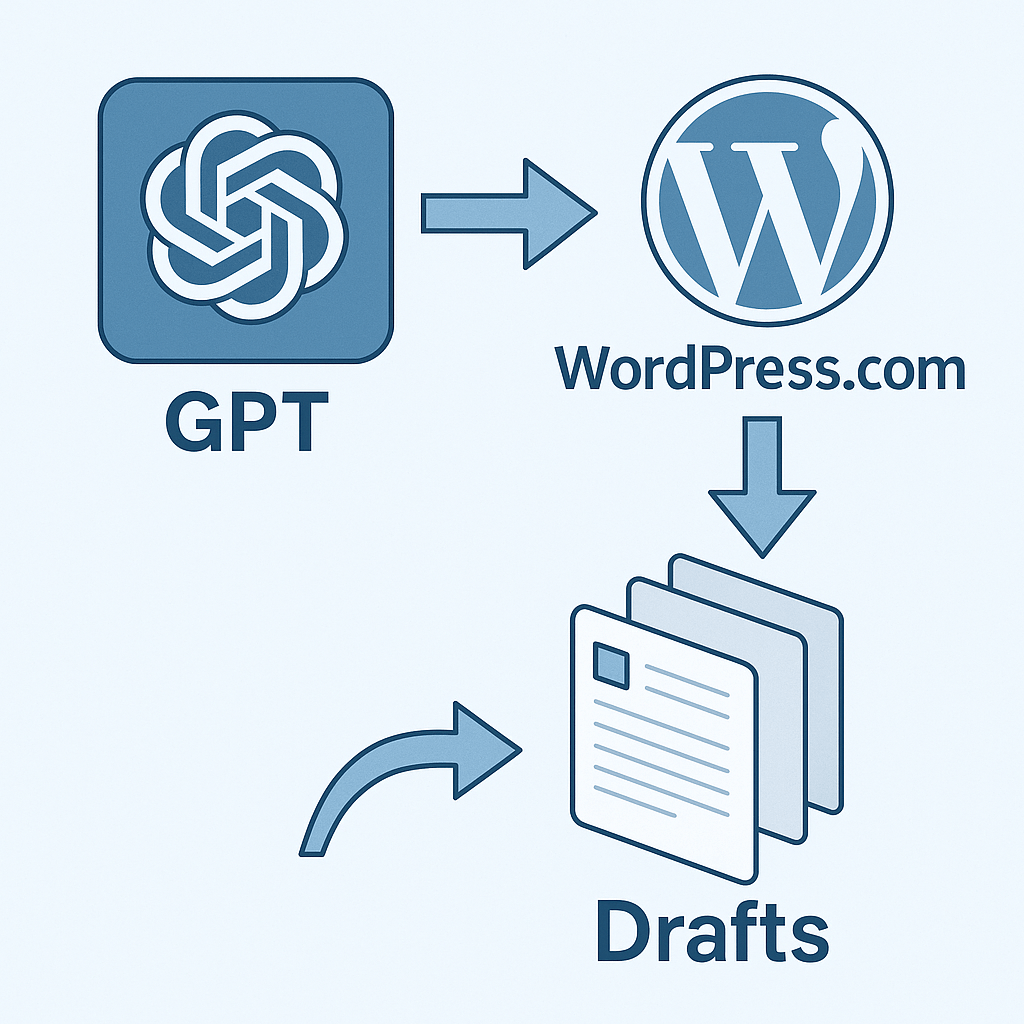
Learn how to connect a Custom GPT to WordPress.com with OpenAPI, OAuth2 tokens, and publish drafts automatically.
Publish WordPress Drafts with Custom GPT + OpenAPI
Tecnología Microsoft en general: C#, .NET, ASP.NET, Azure, Kubernetes, DevOps, UWP y mucho más.
Learn how to connect a Custom GPT to WordPress.com with OpenAPI, OAuth2 tokens, and publish drafts automatically.

Introduction As a developer exploring the integration of AI agents like Claude, Gemini CLI, and ChatGPT into my daily workflow, I recently discovered a powerful but often overlooked Git feature: git worktree. At first, it sounded like one of those "cool but unnecessary" Git features. But once I started working with AI agents in parallel … Sigue leyendo Boosting Developer Productivity with Git Worktree and AI Agents
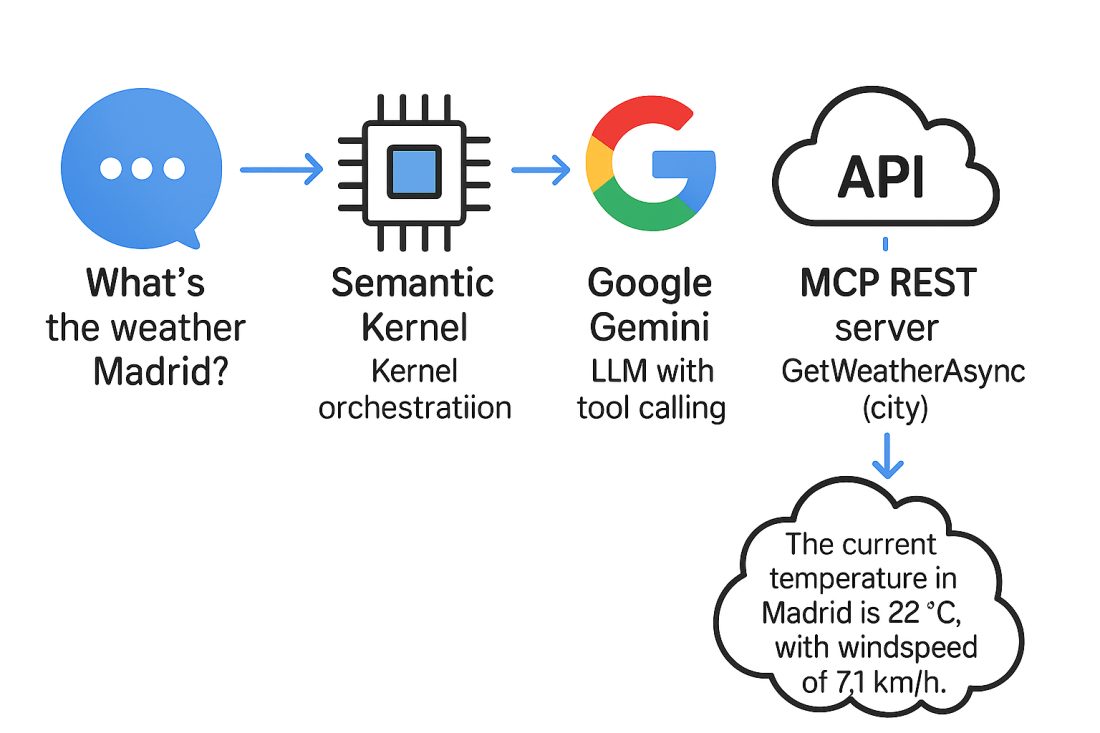
Introduction In our previous article, you learned how to expose a weather API using [McpServerToolType] and [McpServerTool]. In this follow-up, we’ll integrate that same API with Semantic Kernel, but we’ll use Google Gemini v2.5 as the LLM to enable automatic tool invocation, something not possible with ONNX at moment I'm writing this post. Architecture Overview … Sigue leyendo Extending Semantic Kernel with MCP and Google Gemini: Real‑Time Weather Agent

Introduction In our previous article "Building a RAG API with .NET, Semantic Kernel, Phi-3 and Qdrant", we focused on setting up a local Retrieval-Augmented Generation (RAG) API with minimal dependencies on external services. One key piece of that architecture, which we only briefly touched upon, is the embedding service. In this follow-up, we'll dive deeper … Sigue leyendo Implementing Embeddings via ONNX with Semantic Kernel for Local RAG Solutions in .NET

Introduction Writing effective unit tests is a crucial part of professional software development, especially in modern .NET projects. Lately, I have been refining my approach to unit testing by leveraging GitHub Copilot and the new Copilot Agents feature in Visual Studio Code. Instead of manually writing every test, I discovered a powerful workflow where AI … Sigue leyendo Automate Unit Tests in .NET with GitHub Copilot Agents: Prompt, Iterate, and Win!

Learn how to build a powerful RAG (Retrieval-Augmented Generation) API using .NET, Microsoft Semantic Kernel, Phi-3, and Qdrant. Combine your private e-commerce data with LLMs to create smarter, grounded responses. Simple and easy step-by-step! Introduction In previous articles we explored the power of Phi-3 for image analysis and automating e-commerce product descriptions. Now, let's take … Sigue leyendo 🚀 Building a RAG API with .NET, Semantic Kernel, Phi-3, and Qdrant: Enrich Your E-commerce Experience

Learn how to create a custom MCP (Model Context Protocol) server with .NET and integrate it into Visual Studio Code. Step-by-step guide with a simple code example. Introduction As GitHub Copilot and AI-powered agents become key components of modern development workflows, integrating custom logic into your IDE is more valuable than ever. Model Context Protocol … Sigue leyendo Extend GitHub Copilot in VS Code with Custom .NET Tools via MCP

In the highly competitive world of e-commerce, the quality and accuracy of product descriptions can make the difference between a successful sale and an abandoned cart. Detailed, attractive, and well-written descriptions not only inform customers but also enhance your site's SEO, driving more organic traffic. In this post, I'll demonstrate how you can automate the … Sigue leyendo Automate E-Commerce Product Descriptions with .NET, Microsoft Semantic Kernel & SLM (Phi-3)

In this blog post, we'll explore how to leverage the new Phi-3 Vision model within a .NET application. I'll walk you through the entire process from downloading the model to writing and executing the code. Step 1: Download the Phi-3 Model To get started, we need to download the Phi-3 Vision model using the huggingface-cli … Sigue leyendo Image analysis with «Phi-3 Vision»
 Juanlu, ElGuerre